A risk we recorded has now happened. What changes?
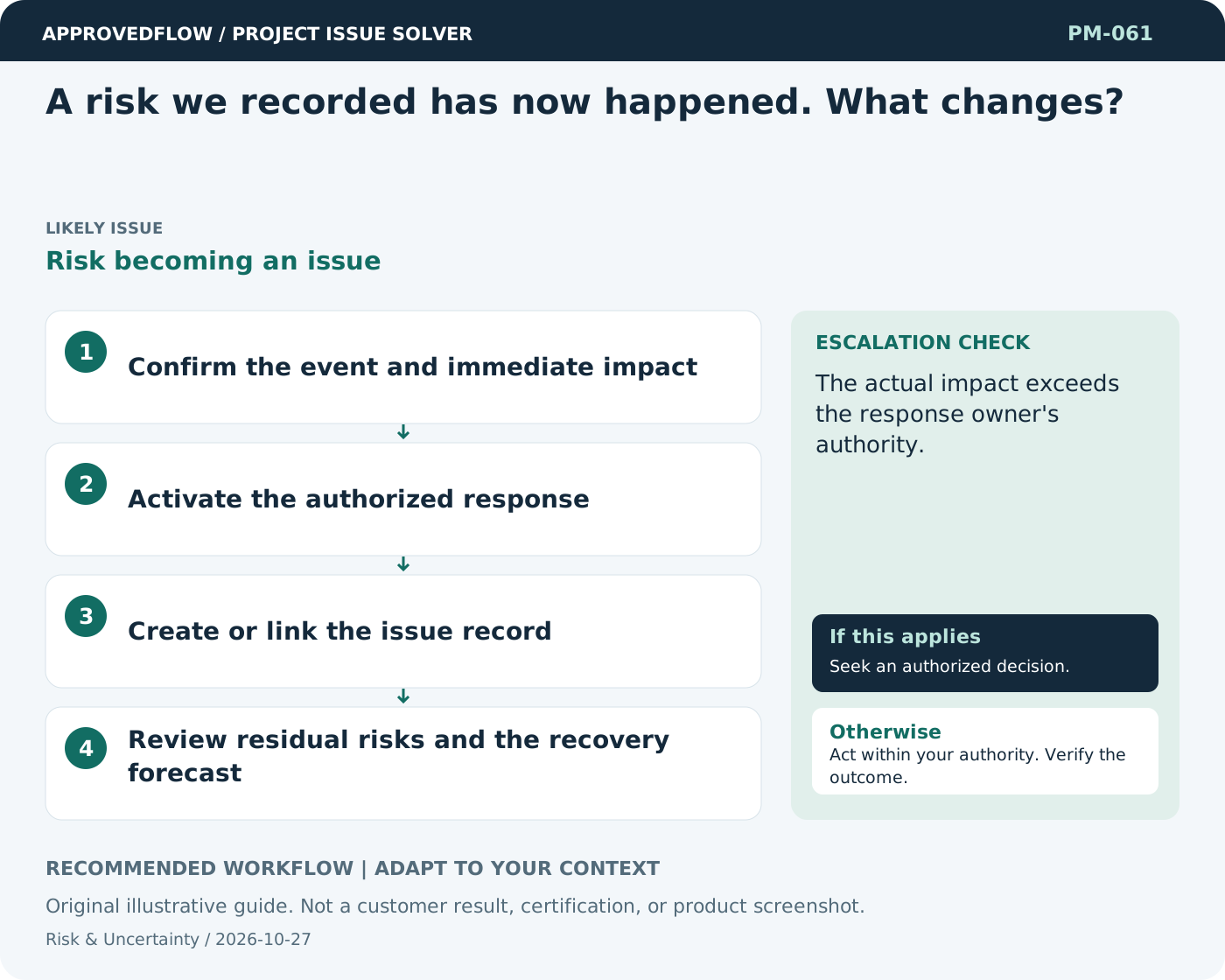
Risk becoming an issueManage the event as a current issue while preserving the risk history. Activate the planned response, assess actual impact, and check whether related uncertainties remain.
What to do now
- Confirm the event and immediate impact
- Activate the authorized response
- Create or link the issue record
- Review residual risks and the recovery forecast
When to escalate
Escalate when
The actual impact exceeds the response owner's authority.
Who decides
The accountable risk owner
Example
A supplier outage becomes an active issue, while the risk of a longer interruption remains under review.
Mistake to avoid
Leaving an occurred event only in the risk register.
Prevent a repeat
Review whether response tasks and trigger conditions remain appropriate as the project changes.
Suggested ApprovedFlow setup
- Documents
- Tasks
- Approvals
Store the risk assessment as a controlled project document and assign response tasks; do not assume a native risk engine is enabled. See the platform
Related cases
- What should we do when a previously accepted risk becomes larger?Outdated risk acceptance
- People confuse risks with problems that already exist. How do we separate them?Risk-issue confusion
- An urgent issue has no clear owner. What do we do now?Unowned urgent issue
- The receiving team says knowledge transfer happened too quickly. What now?Unverified handover learning